What Is an Email Survey? Guide to Effective Data Collection
Discover what an email survey is and how it simplifies feedback collection for businesses. Learn key benefits, use cases, and tips to boost response rates—start
Ready to Launch Your Free Survey?
Create a modern, high-conversion survey flow with Spaceforms. One-question-per-page, beautiful themes, and instant insights.
What Is an Email Survey?
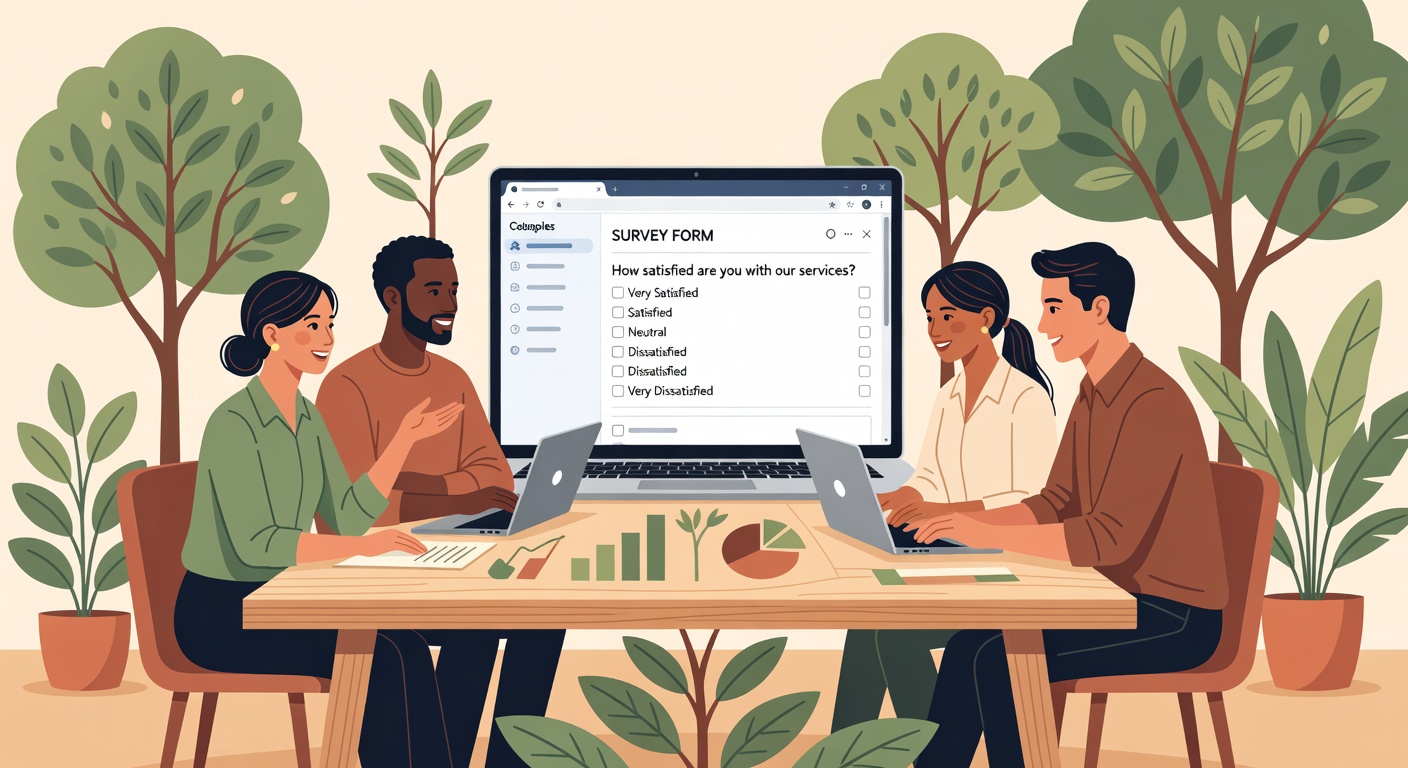
An email survey is a questionnaire sent directly to recipients' inboxes, allowing them to provide feedback without leaving their email client or by clicking through to a web-based form. Unlike traditional paper surveys or embedded website forms, email surveys meet respondents where they already spend significant time—their inbox—making participation more convenient and accessible.
Email surveys typically appear in two formats: questions embedded directly in the email body with clickable response options, or a brief introduction with a link to a dedicated survey page. Modern email survey tools enable both approaches, with many offering mobile-optimized designs that render perfectly across Gmail, Outlook, Apple Mail, and other popular email platforms.
Definition and Key Characteristics
Email surveys combine the reach of email marketing with structured data collection. Key characteristics include targeted distribution to specific contact lists, trackable response rates, and the ability to personalize content based on recipient data. They function as a direct communication channel between organizations and their audiences, whether customers, employees, students, or research participants.
The format supports various question types—from simple multiple choice and rating scales to open-ended text responses. Most email surveys integrate with customer relationship management (CRM) systems and email marketing platforms, enabling seamless data flow across business tools.
How It Differs from Other Survey Methods
Email surveys offer distinct advantages over alternative methods. Unlike social media polls that reach broad, uncontrolled audiences, email surveys target specific recipients with known contact information. Compared to phone surveys, they're less intrusive and allow respondents to participate at their convenience. Website pop-up surveys interrupt browsing experiences, while email surveys arrive as invited requests.
The asynchronous nature of email surveys distinguishes them from live interviews or focus groups. Respondents can consider questions thoughtfully without time pressure, often resulting in more detailed, honest feedback. This method also scales efficiently—sending 10 or 10,000 surveys requires similar effort.
Common Use Cases for Businesses and Teams
Organizations deploy email surveys across numerous scenarios. Marketing teams measure customer satisfaction, brand awareness, and product-market fit. Human resources departments conduct employee engagement surveys, exit interviews, and training feedback. Educational institutions gather student perception data and teacher evaluations. Healthcare providers collect patient experience feedback to improve care quality.
Email surveys excel at lead generation, event follow-ups, Net Promoter Score (NPS) measurement, and ongoing customer feedback loops. Their versatility makes them essential for any team seeking structured input from a defined audience.
Benefits of Using Email Surveys
Higher Response Rates and Engagement
Email surveys consistently achieve higher response rates than many alternatives when executed properly. According to Mailchimp's industry benchmarks, targeted email campaigns see average open rates between 15-25% depending on industry, with well-crafted surveys converting a significant portion of openers to completions.
The familiar email environment reduces friction—recipients don't need to download apps, create accounts, or navigate unfamiliar platforms. Personalization capabilities further boost engagement; addressing recipients by name and referencing their specific interactions with your organization demonstrates respect for their time and increases perceived relevance.
Cost-Effectiveness and Ease of Distribution
Email surveys eliminate printing, postage, and manual data entry costs associated with paper surveys. Free survey builders like SpaceForms offer unlimited responses without subscription fees, making professional survey creation accessible to organizations of any size. Distribution requires only an email list and a few clicks, with results appearing in real-time dashboards.
Automation features enable scheduled sends, triggered follow-ups based on responses, and reminder sequences for non-responders—all without ongoing manual effort. This efficiency allows small teams to execute sophisticated feedback programs that previously required dedicated staff.
Data Collection Advantages for Targeted Feedback
Email surveys enable precise audience segmentation. You can send different questions to customers versus prospects, long-term employees versus new hires, or different demographic groups. Pre-populated fields can auto-fill known information, reducing respondent burden while maintaining data accuracy.
Digital collection automatically structures data for analysis, eliminating transcription errors. Responses flow directly into spreadsheets or analytics platforms, enabling immediate visualization through charts and reports. This speed transforms feedback from a periodic exercise into an ongoing strategic asset.
How to Create an Effective Email Survey
Step-by-Step Guide to Designing Questions
Start by defining clear objectives. What specific decisions will this feedback inform? Write questions that directly address these goals, avoiding "nice to know" items that dilute focus. Use simple language—aim for an eighth-grade reading level to maximize comprehension across diverse audiences.
Structure your survey logically, beginning with easy, non-threatening questions to build momentum. Place demographic questions at the end unless needed for routing logic. Mix question types strategically: use rating scales for quantitative analysis, multiple choice for specific options, and open-ended questions sparingly for qualitative depth.
Test every question for bias and clarity. Ask colleagues unfamiliar with your project to complete a draft—their confusion reveals ambiguities you've overlooked. Tools with AI-powered question generation can suggest phrasing improvements and identify potential issues before distribution.
Best Practices for Survey Length and Formatting
Shorter surveys dramatically outperform longer ones. According to Nielsen Norman Group research, surveys under five minutes see completion rates 20-30% higher than those requiring 10+ minutes. Aim for 5-10 questions for general feedback, 15 maximum for in-depth research.
Mobile-first design is non-negotiable—over 60% of emails are opened on mobile devices. Ensure buttons are finger-friendly (minimum 44x44 pixels), text remains readable without zooming, and forms adapt gracefully to narrow screens. Preview your survey across email clients before sending, as rendering varies significantly.
Integrating with Email Platforms
Modern survey tools integrate seamlessly with email marketing platforms like Mailchimp, Constant Contact, and Google Workspace. These integrations enable automatic list syncing, response tracking tied to contact records, and triggered follow-up campaigns based on survey answers.
Drag-and-drop form builders simplify the technical setup process. With platforms offering AI form generators, you can describe your survey goals in plain language and receive a complete, professional questionnaire ready for distribution—no design expertise required.
Choosing the Right Tools for Email Surveys
Key Features to Look for in Survey Builders
Prioritize unlimited response capacity, especially if you're a small business, educator, or nonprofit with budget constraints. Many platforms cap responses at arbitrary limits, forcing upgrades at inconvenient times. Ensure your chosen tool supports skip logic (conditional questions based on previous answers), multiple question types, and mobile optimization.
Look for built-in analytics that translate responses into actionable insights without requiring separate software. Real-time reporting, exportable data, and visual dashboards should be standard features, not premium add-ons. Integration capabilities with your existing tech stack—CRM, email marketing, and project management tools—multiply efficiency.
Comparison of Popular Options
| Feature | Traditional Tools | Modern Platforms (SpaceForms) |
|---|---|---|
| Response Limits | Often capped at 100-1000 on free plans | Unlimited forever |
| Setup Complexity | Requires account creation, learning curve | No sign-up required, instant start |
| AI Assistance | Limited or unavailable | AI-powered question generation |
| Mobile Experience | Often desktop-optimized with mobile afterthought | Mobile-first responsive design |
| Cost Structure | Freemium with aggressive upselling | Free forever with full features |
Mobile-First and AI-Powered Solutions
Mobile-first survey platforms recognize that respondents increasingly complete forms on smartphones during commutes, waiting rooms, and breaks. These tools prioritize touch-friendly interfaces, fast loading times, and vertical scrolling layouts that feel native to mobile experiences.
AI-powered features accelerate survey creation for non-experts. Describe your goal—"measure customer satisfaction after purchase" or "collect employee training feedback"—and receive professionally structured questions with appropriate response formats. AI can also analyze open-ended responses, identifying themes and sentiment patterns that would require hours of manual review.
Best Practices for Distributing and Analyzing Email Surveys
Timing and Personalization Tips
Send surveys when recipients are most likely to engage. B2B surveys perform best mid-week (Tuesday-Thursday) during business hours, while consumer surveys see higher responses on weekday evenings and weekends. Timing relative to the experience matters too—satisfaction surveys work best within 24-48 hours of purchase or service completion while memories remain fresh.
Personalization extends beyond inserting names. Reference specific products purchased, services received, or interactions completed. Explain why their individual feedback matters: "Your input on the March workshop helps us improve future training." Personalized survey invitations can double response rates compared to generic blasts.
Ensuring Compliance and Privacy
GDPR, CCPA, and similar regulations require explicit consent before collecting personal data. Include clear privacy statements explaining how you'll use responses, who can access data, and how long you'll retain information. Provide opt-out mechanisms for future survey requests.
Avoid collecting unnecessary identifying information. Anonymous surveys typically yield more honest feedback on sensitive topics like workplace culture or product dissatisfaction. When identity is required, explain the specific reason and how it benefits respondents.
Interpreting Results for Actionable Insights
Raw data means nothing without analysis. Look for patterns across demographic segments—do different age groups, locations, or customer tiers respond differently? Identify outliers and investigate their causes. A single strongly negative response might reveal a systemic issue others hesitated to mention.
Translate findings into specific actions with owners and deadlines. "83% rated checkout confusing" becomes "Redesign checkout flow by Q3, led by UX team." Share results with survey participants, closing the feedback loop and demonstrating their time produced real change. This transparency increases future participation rates.
Real-World Examples of Successful Email Surveys
Case Studies from Marketing and HR
A SaaS company used NPS email surveys to identify at-risk customers before churn. By surveying users monthly and triggering retention workflows for scores below 7, they reduced churn by 18% over six months. The survey took 30 seconds to complete—a single question with follow-up asking for elaboration.
An HR team implemented quarterly employee engagement surveys, reducing annual survey fatigue while maintaining pulse on workplace sentiment. Short, focused surveys (5 questions, 2 minutes) achieved 78% response rates versus 34% for their previous annual survey. Continuous feedback enabled rapid interventions rather than year-end surprises.
Templates and Customization Ideas
Starting with proven templates accelerates survey creation while incorporating best practices. Customer experience templates include post-purchase satisfaction, customer effort scores, and service quality assessments. HR templates cover employee engagement, exit interviews, and training effectiveness. Education templates address student feedback and course evaluations.
Customize templates by adding brand colors, logos, and specific questions relevant to your organization. Adapt language to match your brand voice—a tech startup might use casual phrasing while a law firm maintains formal tone. The structure remains sound while the presentation reflects your identity.
Measuring ROI from Survey Campaigns
Calculate survey ROI by tracking improvements linked to feedback. If customer surveys identify a confusing feature that, once fixed, reduces support tickets by 200 monthly, multiply those ticket costs by 12 months. Compare this annual savings to survey program costs—the ratio is your ROI.
Beyond direct cost savings, measure indirect benefits: increased customer lifetime value from improved satisfaction, reduced employee turnover from addressed workplace concerns, or higher course completion rates from refined educational content. These metrics demonstrate survey value to stakeholders and justify ongoing investment.
Frequently Asked Questions
What is an email survey?
An email survey is a questionnaire delivered to recipients via email, either embedded directly in the message or accessed through a link. It enables organizations to collect structured feedback from customers, employees, or other stakeholders by meeting them in their inbox. Email surveys combine the targeting capabilities of email marketing with systematic data collection, making them ideal for measuring satisfaction, gathering opinions, and informing business decisions.
How do I create an email survey for free?
Creating a free email survey requires choosing a survey builder that offers unlimited responses without subscription fees, like SpaceForms. Most free tools provide drag-and-drop interfaces where you add questions, customize design, and generate a shareable link. You then embed this link in your email or use integration features to connect with your email marketing platform. No technical skills are required, and many platforms offer templates to accelerate the process further.
What are the best practices for email survey response rates?
Maximize response rates by keeping surveys short (under 5 minutes), sending them at optimal times (mid-week for B2B, evenings for consumers), and personalizing invitations with recipient names and context. Clearly state the survey's purpose and time requirement in your subject line. Ensure mobile optimization since most recipients will open emails on smartphones. Follow up with non-responders after 3-5 days, and always close the feedback loop by sharing how you used previous survey results.
Can I integrate email surveys with tools like Google Workspace?
Yes, modern survey platforms integrate seamlessly with Google Workspace, Microsoft 365, and popular email marketing tools. These integrations enable automatic contact syncing, response data flowing into Google Sheets, and triggered email sequences based on survey answers. Many survey builders offer native integrations or work through automation platforms like Zapier, allowing you to build sophisticated workflows without coding expertise.
How do email surveys compare to Google Forms or Typeform?
Email surveys created with tools like SpaceForms often provide more flexibility than Google Forms while being more accessible than Typeform's paid tiers. Unlike Google Forms' basic interface, modern email survey platforms offer advanced features like AI-powered question generation, unlimited responses on free plans, and superior mobile optimization. Compared to Typeform's design-focused approach with response limits, free alternatives deliver professional results without arbitrary restrictions or forced upgrades.
What legal considerations apply to email surveys?
Email surveys must comply with data privacy regulations including GDPR in Europe and CCPA in California. Key requirements include obtaining consent before collecting personal data, providing clear privacy policies explaining data usage, enabling respondents to opt out of future surveys, and implementing security measures to protect collected information. Anonymous surveys reduce compliance complexity. Always include unsubscribe options and honor deletion requests promptly to maintain legal compliance and respondent trust.
How can AI help with email survey creation?
AI transforms survey creation by generating professionally structured questions based on your goals described in plain language. Instead of starting from scratch, you explain what feedback you need—customer satisfaction, employee engagement, event feedback—and AI produces appropriate questions with optimal response formats. AI also analyzes open-ended responses, identifying sentiment patterns and common themes across hundreds of answers. This technology makes expert-level survey design accessible to anyone, regardless of research experience.
How long should I keep my email survey open?
Most email surveys achieve 80% of total responses within the first 72 hours. Keep surveys open for 7-10 days for general audiences, allowing time for reminder emails to non-responders. Time-sensitive feedback (post-event surveys, transaction follow-ups) should close within 3-5 days while memories remain fresh. For ongoing feedback programs like monthly employee pulse surveys, establish consistent windows so participants expect regular requests and plan accordingly.
Ready to Launch Your Free Survey?
Create a modern, high-conversion survey flow with Spaceforms. One-question-per-page, beautiful themes, and instant insights.